 Casino
  Promotions
  Crypto
  Why us

LuckyStart Casino App: Download for Android & iOS and Play Real Money Games
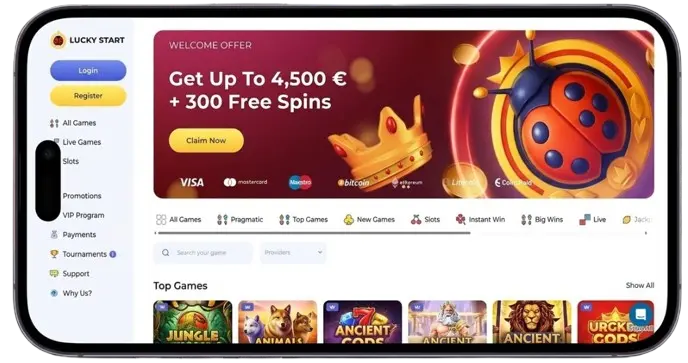
Without a dedicated Luckystart app, Canadian users can still enjoy access to more than 2,000 casino games at their phones. LuckyStart operates smoothly on iOS, Android, and Windows devices. Simply grab your smartphone or tablet to open a highly efficient casino site. Even in places where the network is not very strong, you can still play for real money.
Mobile users can enjoy seamless navigation and top security at their fingertips. From your mobile device, you can quickly start playing Yggdrasil, Games Global, and other titles of popular providers. Refer to the following table to find out the main features of our mobile platform.
| Luckystart App Feature | Why You’ll Love It |
|---|---|
| User Experience | Quick navigation through an intuitive interface |
| Massive Library | 2,000+ casino games from top providers |
| Top-Level Security | Two-factor authentication restricts third-party access |
| Fast Payouts | Instant crypto payouts |
| Loyalty Rewards | Free spins, reload bonuses, and VIP rewards |
How to Download the Lucky Start Casino App
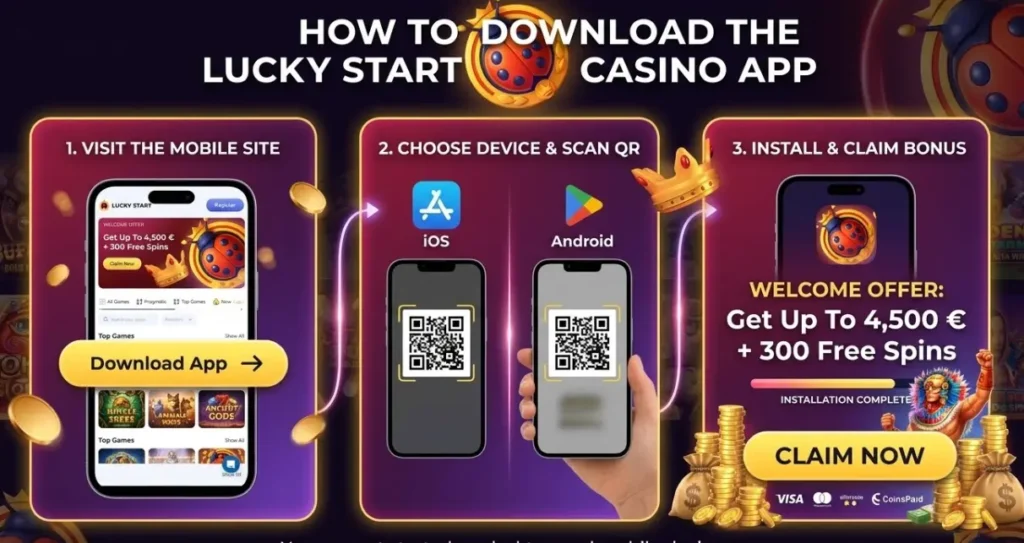
We do not currently offer a native app available on the App Store or Google Play. However, there is an APK file available for download on iOS and Android devices. It will not take up precious storage space on your device. Just ensure that your device settings allow for such downloads. Follow the step-by-step guide below to complete the Luckystart app download process.
- Launch your browser
Open Safari or Chrome, or whichever mobile browser you prefer to use and go to the Luckystart homepage.
- Sign in or register
Get hold of an account you already have, or make a new one, straight from your mobile device.
- Choose your game
Look through the huge collection of games amounting to over 2,000 titles and pick the one you like the most.
- Play right away
Just press on a game to open it. Without a doubt, no downloading or installing software is needed.
- Create a shortcut (if you want)
Next time you want to access it faster, you can play with one tap by using your browser settings to “Add to Home Screen”.
How to Use and Install the Luckystart App for Android
The Luckystart APK file is accessible with Samsung Galaxy, Google Pixel, and other Android devices. It is common to have to adjust your settings to accept downloads from unknown sources. While the latest tech features on the app, you do not need to be an expert to download it. Follow these steps to get your hands on the Luckystart app for Android.
- Open & Play: Tap the completed download, hit “Install,” and start your gaming session in seconds!
- Access the Site: Use your Android device to open the official Luckystart website.
- Find the Download Link: Head to the main menu and select the Android App section.
- Grab the APK: Tap the download button. If a security prompt appears, simply select “Download Anyway” to proceed.
How to Install the Luckystart Casino App on iOS
The installation process is equally simple for iOS users. Although not available via the App Store, you can download a PWA version of our casino. Having iOS 14 or later is recommended. Use these instructions to utilize the iOS version of our app.
- Visit Luckystart – Open Safari and head to our official homepage.
- Tap Share – Press the share icon (the square with an arrow) at the bottom of your screen.
- Add to Home Screen – Scroll down the menu and select the “Add to Home Screen” option.
- Confirm & Play – Tap “Add” in the top-right corner, make Luckystart app login and you’re all set.
PWA Version for All Devices: A Flexible Mobile Option
A progressive web app (PWA) uses HTML5 and CSS to deliver a browser-based application. This is an increasingly popular option for players in Canada. It saves storage space, and you can save the page to your home page for greater convenience. Other advantages include:
- Push notifications
- Potential offline access
- Automatic updates
- HTTPS offers enhanced security
Troubleshooting with the Luckystart Casino App Download
You may encounter problems when attempting to process the Luckystart Casino app download. This is true for both iOS and Android users. Below, we have listed some common issues, along with their solutions.
- Out-of-date software – Our app works best with the latest software updates. You may receive an error code if your device needs updating.
- Insufficient storage space – Your download may pause during the process because of a lack of storage space. This requires you to delete other applications or content from your handheld product.
Incorrect software – Selecting the wrong download link will lead to failure. iOS customers must access the correct link, as is the case with the Luckystart app download for Android.
Interface and Key Mobile Features of the Luckystart Casino App
We worked with top developers to deliver an efficient and easy-to-use app. Our customers will find a similar design to our desktop site. The features outlined in the table below help make the Luckystart app download free worthwhile.
| Feature | Description |
|---|---|
| Top menu | Allows quick navigation between different game categories |
| Live chat | Get connected to one of our members of staff in under two minutes |
| Mobile bonuses | Qualify for our welcome package, free spins, reload bonuses, and VIP rewards. |
| Push notifications | Decide how regularly you want to hear from us and in what subjects. |
Mobile Game Library: Slots and Live Dealers on the Go
Over 2,000 games are playable via the Luckystart Casino app. Our library features several game categories, including slots, crypto, table games, and live dealer games. These games come from top iGaming providers, including BGaming, KA Gaming, and Playtech. Some of the most popular titles include:
- Holmes and the Stolen Stones – This Yggdrasil slot has a 96.8% RTP, 30,000x max win, and well-known characters from the Sherlock Holmes story.
- Avalon The Lost Kingdom – This is one of the showcase slots from BGaming. With fantastic graphics, high volatility, and a x3,812 top win, this 20-payline game has a mythical theme.
- Gladiator Mega Cash Collect – Play this Playtech slot machine in the hope of triggering the x5,000 max win. The Mega Cash Collect feature stands out, while a free spins bonus is also available.
- At The Movies – With 30 paylines and four reels, this Betsoft game is fun and offers a generous free spins bonus.
- Pirate Jackpots – This Belatra Games favorite has 20 paylines, a 2,500x top win, and a thrilling free spins feature.
Bonuses in Luckystart App Canada
Using the Luckystart app in Canada makes you eligible for multiple bonuses. Bonus funds, free spins, and loyalty rewards can be claimed. While we do not offer any mobile-exclusive deals, you can take full advantage of the promotions below.
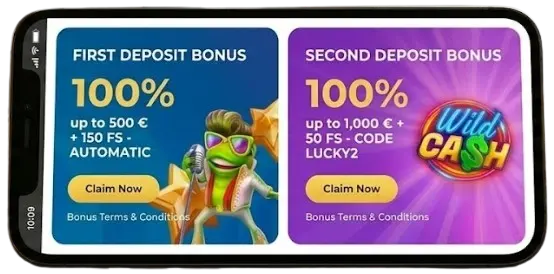
- Welcome package – Our welcome package offers up to C$4,800 + 300 free spins. The deal is spread across your opening four deposits after completing the Luckystart app login process, which must total at least 30 CAD.
- 1,500 free spins – Earn free spins to use on the popular Zeus vs Hades: Gods of War 250 slot. With 40x wagering requirements, the maximum you can make from this bonus is x10.
- Super Sunday – You can claim 100 free spins every Sunday. Eligible for two leading BGaming slots, a C$30+ deposit is needed to qualify.
- Fabulous Friday – Earn a 30% reload bonus every Friday. Worth up to 150 CAD, your bonus will expire after 7 days.
Luckystart Mobile App vs Desktop Version
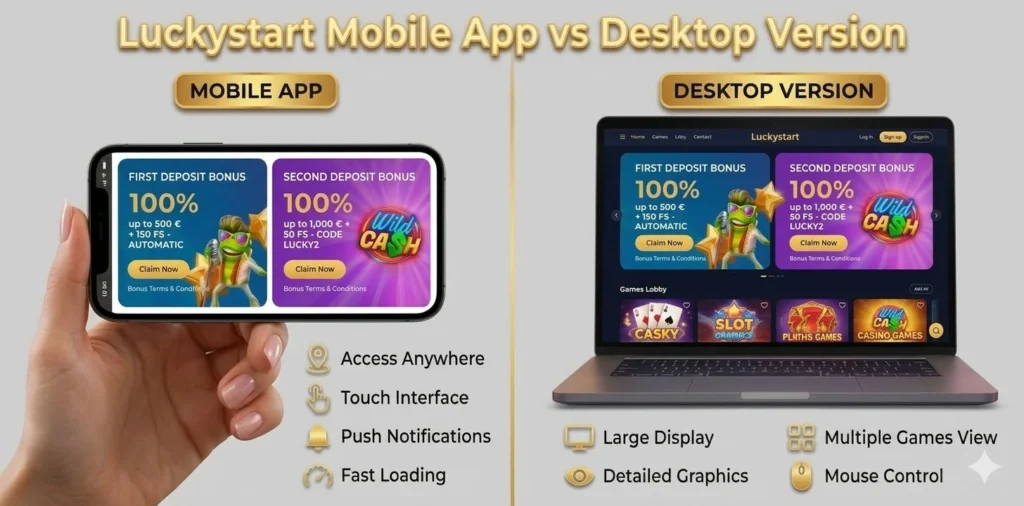
How does the Luckystart mobile app compare to our desktop casino site? While both platforms offer the same games and features, there are some key differences.
| Feature | Desktop | Mobile |
|---|---|---|
| Performance | Enhanced processing speed allows for a smoother experience | Slower loading times |
| Convenience | Longer waiting times to browse and launch games | Launch games in seconds using your smartphone or tablet |
| Multitasking | Option to have multiple tabs open at once | Multitasking is not convenient |
Managing Notifications and In-App Controls on the Luckystart Casino App
Notifications are one of the benefits of the Luckystart casino app. They let you stay up to date with the latest promotions and games. Use the settings to let us know which notifications you would like to receive when you download the application. It is also possible to disable them completely.
Security and Data Protection in the Luckystart App for Android and iOS
The Lucky start app is 100% safe. SSL encryption, firewalls, and two-factor authentication are all used to guard against third-party threats. All Canadian gambling regulations are complied with. We also ensure that all players are verified. This ensures that no unauthorized access is granted.