 Casino
  Promotions
  Crypto
  Why us

LuckyStart Casino Login: Sign Up, Verify, and Play Real Money Games
Complete the Luckystart Casino login process to access 2,000+ games, quick withdrawals, VIP rewards, and tournaments worth up to €12 million. Creating an account takes less than five minutes, and our verification process is equally simple. With LuckyStart Casino, you can get started on desktop and mobile devices. Use this guide to fully understand how to sign up, how we keep your details safe, and potential login issues.
Benefits of Having a Personal Account with Luckystart Casino Login
Before we explain how to register with us, let’s consider the benefits of completing the Luckystart Casino login process. Our library features games from Pragmatic Play, Playtech, and other leading developers. Our list of game types includes slots, table games, and instant win titles.
You can access our casino site on desktop and mobile devices. Either way, enjoy a seamless experience thanks to our intuitive interface. Our welcome package is worth up to C$C4,800 + 300 free spins. This gives you an excellent platform to build from and is accompanied by several ongoing promotions.
- Collect loyalty rewards through our 7-tier VIP program
- Earn free spins and reload bonuses as an existing member
- Enter casino tournaments with large prize pools
- Make payments through Interac, MuchBetter, Bitcoin, and other options
How to Create a LuckyStart Casino Account
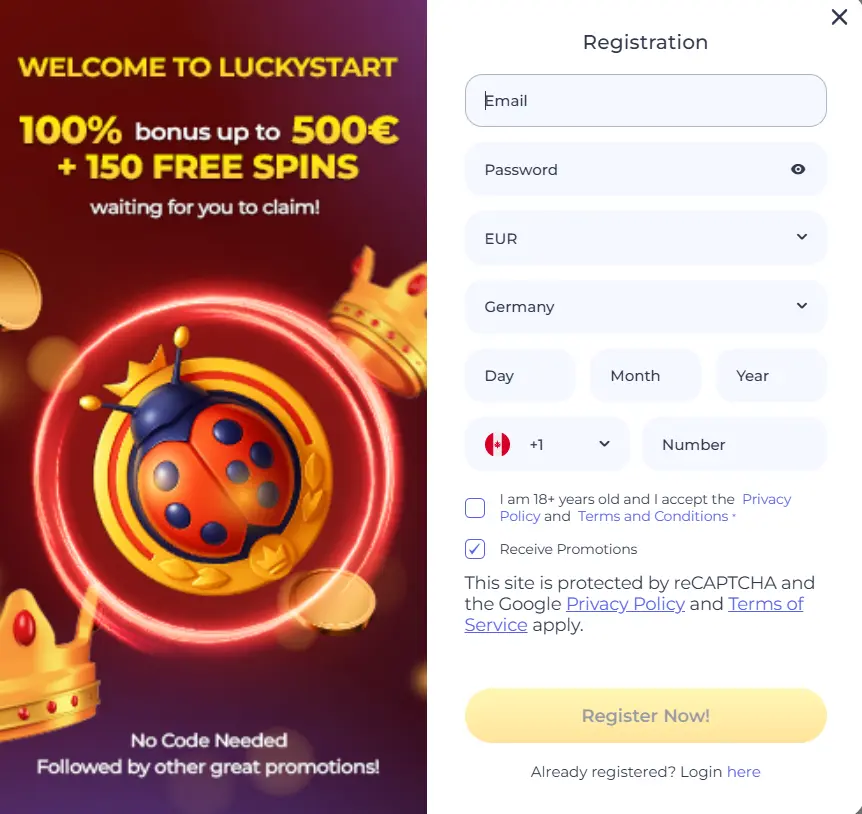
You can complete the Luckystart registration process in minutes. We require minimal personal information. This means you can quickly make a deposit and start playing games. Follow these steps to sign up.
- Load the sign-up form – Select the “Register” button on our home page.
- Enter your details – Enter your email address, location, currency, and phone number to complete the registration form.
- Accept the T&Cs – Read and accept our casino terms and conditions.
- Opt in for promos – Tap the relevant box to opt in for bonuses and promotions.
- Submit – Double-check your information is correct and select “Register Now!”.
Get in touch with our customer support team if you are having issues. This also applies to the verification process, where you must upload documents to verify your identity and home address.
Required Documents for Canadien Users
Players in Canada must verify their accounts to unlock all our casino features. Valid documentation must be uploaded to complete this process. Complete the Luckystart log in requirements and send us two of the following documents to verify your identity and home address:
- Passport
- Driver’s license
- National ID card
- Tenancy agreement
- Mortgage agreement
- Utility bill
Completing the Account Verification Process
You can complete the Luckystart verification process in less than 48 hours. It helps ensure that no underage players are granted access to our casino. Players in CA can follow the steps below to overcome this hurdle.
- Wait for verification – You will receive confirmation that your account has been verified within 48 hours.
- Select “Support” – Access our casino customer support page.
- Copy our email address – Copy the Luckystart email address or enter your address into the relevant box.
- Compose an email – Write a message stating your wish to verify your account.
- Attach documents – Attach eligible documents to verify your identity and home address.
How to Log In to Your Casino Account
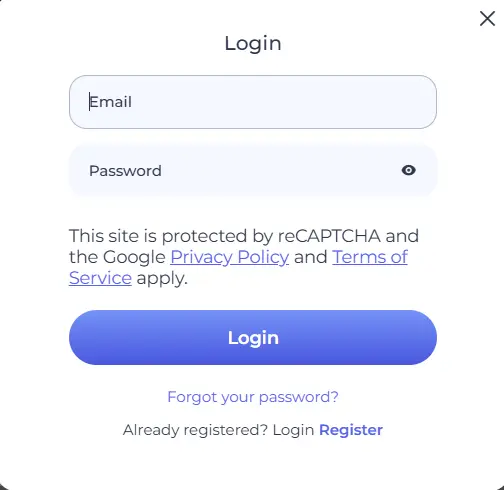
The Luckystart login process takes under 1 minute. Your email address and password are needed to access your account. The requirements are the same for new and existing members. You can use the instructions below to log in to your account after completing the Luckystart register process.
- Play games – Wait for your account to load and start playing casino games.
- Select Login – On the left side of the page, click or tap “Login”.
- Enter your details – Input your email address and password.
- Confirm – Double-check your details and select “Login” at the bottom of the form.
Quick Access via the Mobile App
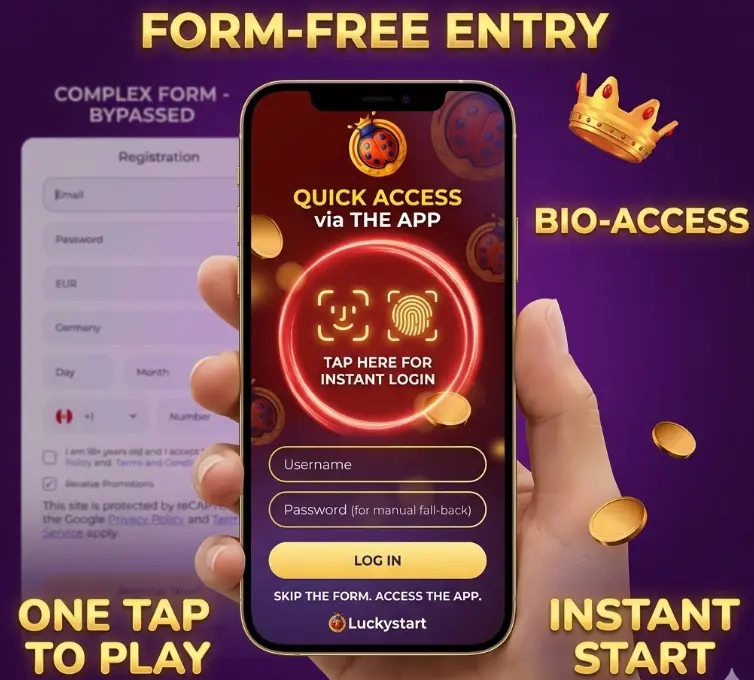
Completing the Luckystart login process is equally convenient and quick on mobile devices. The requirements are the same as on desktop platforms. It is only the layout that differs. iOS and Android users can access their accounts in seconds by following the Luckystart Casino sign in requirements.
- Submit – Tap “Submit” to unlock your account.
- Select Login – Tap the “Login” button found at the top of the page.
- Enter your email – Enter the email address you used to register.
- Add your password – Add your account password.
Data Security: Protecting Your Personal Information
Your login information and payment details are protected at all times on our casino site once you complete the Luckystartcasino login steps. Secure Sockets Layer (SSL) encryption and firewalls are used. Mobile players can also utilize two-factor authentication (2FA) to prevent unwanted access. A full list of the safety features used at Luckystart is found below.
- Account verification
- SSL encryption
- Firewall
- Two-factor authentication
- Anti-fraud team
Troubleshooting Common Login Problems
You may still encounter problems once registered. Accessing your account will be delayed or unsuccessful if you perform any of the following actions. We have also provided solutions to these issues.
- Incorrect details – Even the smallest error in entering your login details will lead to an error. Ensure that you input your email address and password correctly to avoid this problem.
- Forgotten password – It is common for players to forget the password they used to sign up. This is an easy fix. Just select the “Forgotten Password?” link to reset your password.
- Incomplete verification – Failure to complete our verification process may result in account suspensions or closures. Contact our customer support team for further details.
Recovering Forgotten Password or Email
Forgetting your password will make it more difficult to complete the Luckystart casino login process. However, we have ensured that there is a simple solution to this issue. On the login page, select “Forgot Your Password?”. You will receive an email with a link to set up a new password.
How to Delete Your Account at LuckyStart Casino
We make it easy for players to take a break from wagering. You can take a period of exclusion or permanently delete your account. It may be that you are no longer interested in the games we offer, or you are struggling to manage your bankroll and gamble responsibly. Our members of staff are friendly and helpful. Contact them by following the instructions below.
- Await a response.
- Complete the Lucky start login to your casino account.
- Launch the live chat feature or send us an email.
- State your desire to self-exclude or delete your account.
- Provide a reason for your decision.